Maintenance
Once you’ve got a deconst cluster provisioned and running, you’ll want to monitor its health and have some idea what you can fix when things go wrong.
Prerequisites
Before you can effective maintain a cluster, you’ll want to verify that you have these things.
- Credentials for the cloud account that’s being used to manage the cluster’s resources.
- SSH access to the cluster. You’ll need to download the SSH private key used by your deconst instance and put it in keys/{instance}.private.key where instance is the name of your instance in your credentials.yml
- A clone of the deconst/deploy repository from GitHub. If you monitor more than one Deconst cluster, it’s helpful to have a separate clone for each and name the clone’s directory after the cluster rather than just calling them all “deploy.”
- A copy of the credentials.yml file for the instance. Your ops team should arrange for an out-of-band mechanism to securely distribute this file and stay up to date. Put it in the root directory of your
deconst/deployclone.
Logs
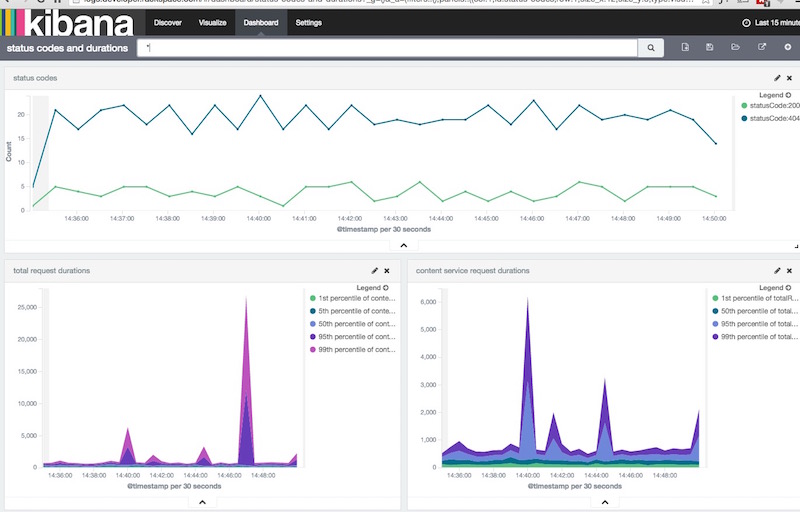
Application logs are consolidated and shipped to an Elasticsearch and Kibana
cluster external to the Deconst cluster, so that you can quickly see what’s
happening across the entire system. The Deconst ELK node hosts Logstash (to
manipulate the logs right before they’re persisted). Point your browser to the
public HTTPS Kibana URL of the external cluster to access Kibana. You can find
credentials in your credentials.yml file:
grep elasticsearch_username credentials.yml
grep elasitcsearch_password credentials.yml
I recommend configuring an additional DNS record of logs. to point to this
host, for convenience.
See the Kibana documentation for more information about using Kibana effectively.
Scripts
Within your deconst/deploy clone, there are a number of scripts that are
useful for diagnosing and correcting problems on the cluster.
script/deployruns the Ansible playbook again. If one or more services have died, this is a good way to restore the missing ones without interfering with anything that’s already working properly. It’s also the best way to propagate configuration changes through the cluster.script/statusrunsdocker ps -aon all worker hosts. This is a good way to make sure that none of the services have unexpectedly died or are flapping.script/ipswill show you the hosts and IPs of each system in the cluster. It’s occasionally useful to save a trip to the control panel.script/lbruns a diagnostic check on the load balancers’ node membership, ensuring that requests are being forwarded to the correct ports on the worker hosts, based on currently living containers. It can run in either a reporting mode (--report) that prints a summary of the load balancer health, or a corrective mode (--fix) that deletes old nodes and adds new ones.- Finally,
script/ssh <host>will give you a shell on a host whose name matches the pattern you provide. Run it with no arguments to see a list of the available hosts; provide any unique substring to identity a host from that list.
Systemd
Once you have a shell on a problem system, it’s useful to know a few systemd commands to investigate and manage services.
If you want to really get a handle on what systemd is and how it works, I recommend taking the time to read systemd for Administrators. You’ll also want to keep the man pages bookmarked. In a pinch, though, these commands will do.
To list units matching a pattern and report their current status:
systemctl list-units deconst-*
To view the current status of a unit in more detail, including the most recent bit of its logs:
systemctl status deconst-content@2
To see the logs for a unit directly, use:
journalctl -b -u deconst-presenter@1
To follow the logs in real time:
journalctl -f -u deconst-presenter@1
To stop, start, or restart one or more units:
sudo systemctl stop deconst-presenter@1
sudo systemctl start deconst-content@2
sudo systemctl restart deconst-logstash
If you have to nuke it from orbit
Take a deep breath: it’s okay.
When things go so terribly that a cluster is unrecoverable, remember: Deconst
stores all of its persistent data off-cluster, in Cloud Files, MongoDB and
Elasticsearch. The worker hosts are designed to be ephemeral. If you lose ssh
access or someone deletes libc or services start flapping and you decide that
the system can’t recover, you can delete the cloud servers directly,
re-provision a new system with the same deconst/deploy setup (leaving the
credentials.yml file unchanged), and all will be well, no data loss. It
takes maybe ten to fifteen minutes.